









Most of us are pretty disgruntled with AI right about now. We’re worried it’s reshaping the workforce, overwhelming us with AI slop and guzzling resources like a parched teen parked in front of an open fridge.
But none of that changes the fact that many people use it anyway—and it’s the single best tool I’ve found to save money on back-to-school shopping this year.
The National Retail Federation says the average family plans to spend close to $900 per child this year. College students will spend nearly $1,400 as they head into the fall semester.
Electronics take up the biggest chunk of those budgets, which raises another red flag: Laptop prices are climbing. AI data centers are buying up the same memory chips that go into consumer computers, and some models have risen more than $200 in recent weeks.
I spent about 30 hours testing prompts, running supply lists and finding tips to save time and money this year.
One note before we dive in: I used the paid $20 ChatGPT Plus plan here because it handles everything in one place. Other models can do much of this individually, but for uploading photos, live voice prompts and shopping research, ChatGPT delivered the best results.
Protect Your Information Before You Start
Adjust a few settings before you share personal information, and be careful with what you upload.
Open Settings, open Data Controls and toggle off “Improve the model for everyone.”
Use a Temporary Chat for family details, so they stay out of your ChatGPT history and memory. Remove names, ages, addresses, ID numbers, account numbers, medical details and anything else you don’t want to accidentally leak.
Price the Whole List Before You Spend
Upload your child’s back-to-school supply list directly to ChatGPT. You can copy and paste it or snap a photo. If you don’t have the list yet, a service such as TeacherLists may help you locate it.
If there’s a laptop or tablet on the list, pull that out; run that search separately.
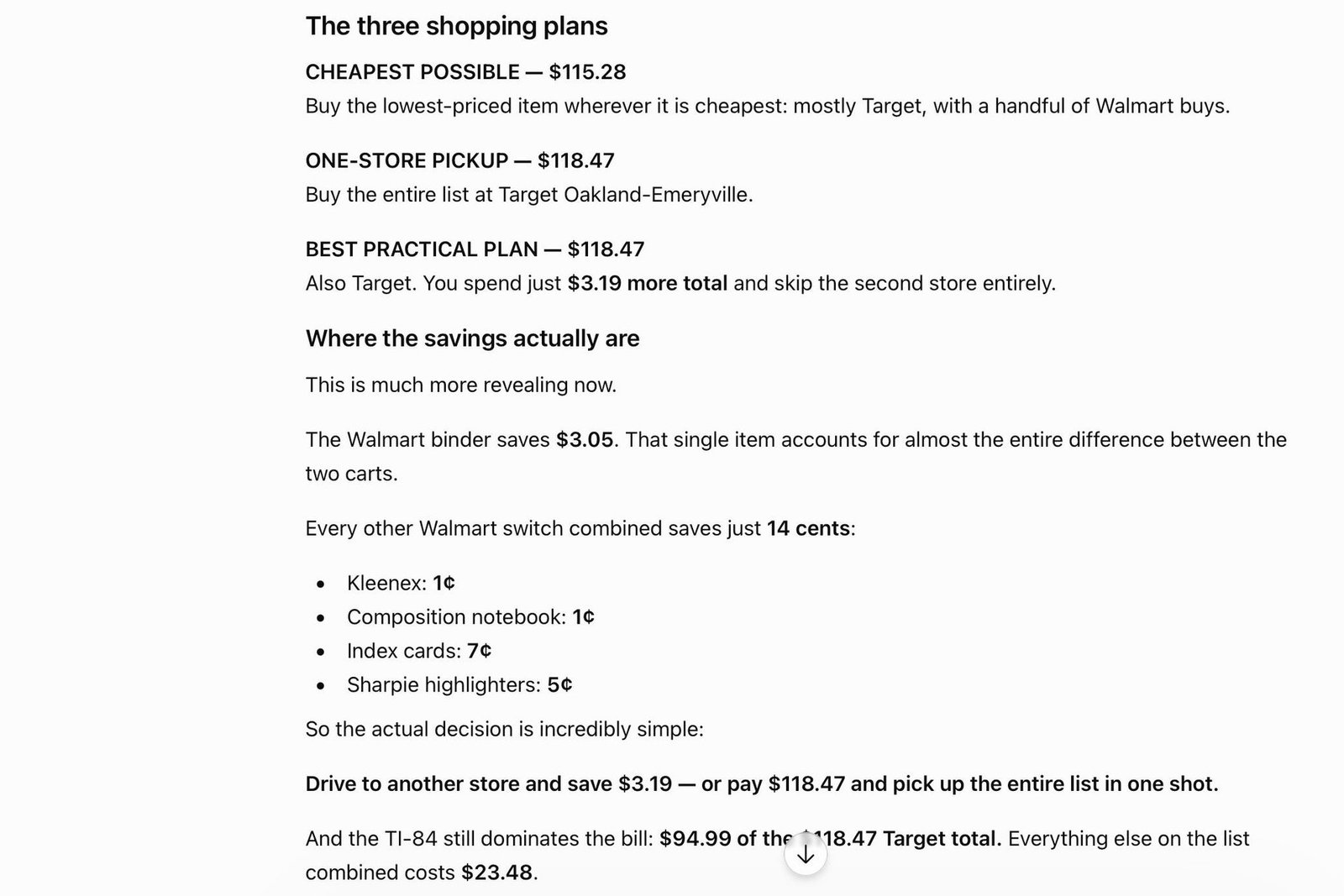
Try a prompt that includes your ZIP code and asks for the lowest current prices, verified availability, three purchasing options and a table with retailer links. Ask it to identify where the biggest savings are.
I used a current high school supply list for this example and repeated the process for K-12, college and graduate-school lists. It can take ChatGPT as long as 10 minutes to do the research.
I ran the same shopping list through Amazon, and the total savings from the ChatGPT list was about $150. In several college simulations, I saved more than $400.
Another useful trick: Snap a photo of the drawer holding last year’s school supplies and upload it. ChatGPT can cross off items you already have.
How to Save on Laptops
It’s faster and more accurate to search for the right laptop on its own—not alongside gluesticks and three-ring binders. Researching laptops sends ChatGPT down a deeper specification-and-feature rabbit hole.
First, paste the school’s bring-your-own-device requirements at the top of your chat. Then ask it to find a best-value laptop under your budget, compare the same configuration across retailers, check student discounts, prioritize at least 16GB of RAM and 512GB of storage, and flag compatibility issues.
Based on my requests, ChatGPT showed me five models. I had reviewed three—Lenovo’s IdeaPad Slim 3i, Dell’s XPS 13 and Asus’ Zenbook A16—and agreed they were good picks.
Check prices yourself. Each model had student discounts, and Best Buy was running specials on many of them as well.
I also used ChatGPT to help solve other back-to-school problems, such as finding a way to keep in touch with children too young for a cellphone and a device to help track complicated family schedules.
At the end of the day, no tech tool beats good parenting. ChatGPT won’t do the homework or raise your child. But for finding a better price, it can beat clipping coupons.
Jennifer Jolly is an Emmy Award-winning consumer tech columnist and on-air contributor for “The Today Show.” The views and opinions expressed in this column are the author’s and do not necessarily reflect those of USA TODAY.
Read the full article here